I thought I might start blogging/uploading my lecture notes that I usually give to students.
The ones posted in July 2008 are all old notes, but they might be useful.....
Note: Where a encyclopedia is referenced it is given as a starting point for you to begin your own research. References always have to link to actual people!
Wednesday, 30 July 2008


The Romance of Machine Interaction 250208
Computer Human Interaction
http://www.anab.in/yearone/sketchamove/sketch.html
Engelbart Invented Everything Whilst Driving to Work One Day 1951
http://sloan.stanford.edu/mousesite/1968Demo.html
The First ‘Ergonomic’ Mouse
http://vodreal.stanford.edu/engel/12engel200.ram
Others Invented What Was Left Over
http://www.pbs.org/cringely/nerdtv/shows/
The Other Great Curse is the Keyboard
http://en.wikipedia.org/wiki/Qwerty
Xerox Parc Threw Away the GUI
http://en.wikipedia.org/wiki/History_of_the_graphical_user_interface
http://www.folklore.org/index.py
We Used to be Happy With a Single Point
http://www.youtube.com/watch?v=9zGDNFpOMcA
http://www.microsoft.com/surface/
The Internet Hoovers up Everything (AKA Convergence)
Books
http://blog.makezine.com/archive/2007/06/espresso_book_machine.html
VoIP Telephony (Voice over IP)
http://tools.netgear.com/skype/
Speech Recognition
Microsoft: http://www.youtube.com/watch?v=IkeC7HpsHxo
Television
http://www.nasa.gov/multimedia/nasatv/index.html
http://www.arsenal.com/atvo/index.asp
Radio, Video, Music
http://www.last.fm/
http://www.youtube.com/
DataGlyph: http://www.parc.com/research/projects/dataglyphs/
Barcodes: http://en.wikipedia.org/wiki/Barcode
Live Information
http://www.fboweb.com/antest/ge/intro.aspx?old=1
http://flightaware.com/live/airport/KJFK
Standards Make it Easy
The Stupid Network (Academic Paper)
http://www.rageboy.com/stupidnet.html
Easy and Permissive (All code is Human Readable…. Honest!)
http://www.w3.org/People/Berners-Lee/
Networked Objects
Define a Networked Object
iPod (MP3 Player): http://www.apple.com/ipod/ipod.html
http://en.wikipedia.org/wiki/IPod
http://en.wikipedia.org/wiki/Itunes
Natalie Jeremijenko #Number One!
http://en.wikipedia.org/wiki/Natalie_Jeremijenko
Classic Networked Object Concept
http://www.cutecircuit.com/now/projects/wearables/fr-hugs/
Interesting People
References
http://www.designinginteractions.com/chapters/8
Durrell Bishop
http://www.tigoe.net/blog/wp-content/uploads/2007/09/marble_answering_machine.png
http://luckybite.com/

Murat Konar
http://www.muratnkonar.com/id/scanjam/
Stijn Ossevoort
http://members.lycos.nl/StijnOssevoort/hoofdpagina/design/answerphone/answerphone.htm
Ben Hopson
http://benhopson.com/foam10.html
Nicolas Villar
http://eis.comp.lancs.ac.uk/voodooio/video/
http://research.microsoft.com/~nvillar/
Dunne and Raby
http://www.dunneandraby.co.uk/designing/park/fpark.html
Victor Vina
http://www.dosislas.org/netobjects/en/frames.html
James Auger and Jimmy Loizeau
http://www.auger-loizeau.com/projects/soctel/pro_soctel.html
Noam Toran
http://www.youtube.com/user/ntoran
http://www.noamtoran.com/
Crispin Jones
http://www.youtube.com/user/MrJonesDesign
http://www.mr-jones.org/
http://www.anab.in/yearone/sketchamove/sketch.html
Commercial Products
http://www.ambientdevices.com/products/umbrella.html
Interaction Research Studios
Massachusetts Institute of Technology
http://tangible.media.mit.edu/projects/scvis/
Tom Igoe
http://tigoe.net/pcomp/index.shtml
Philips
http://www.youtube.com/watch?v=4qQFl5K_0pc
http://www.design.philips.com/
Goldsmiths
http://www.goldsmiths.ac.uk/interaction/projects.php?page=curious_home
http://youtube.com/user/TheCuriousHome
http://www.youtube.com/user/InteractionDesignLab
Hacking
Keyboard hacks
http://blog.makezine.com/archive/2006/05/how_to_hacking_a_usb_keyboard.htm
Making a Multi Touch Screen Using Processing
http://natebu.wordpress.com/2007/04/18/multi-touch-with-ftir/
http://www.whitenoiseaudio.com/blog/archive/2006_09_01_archive.html
Obvious References
http://processing.org/exhibition/index.html
http://www.arduino.cc/playground/Projects/ArduinoUsers
http://mobile.processing.org/exhibition/index.php
http://makezine.com/projects/
A Collection of Film Basics 180208
Storyboard
The starting point is, of course, to think of an interesting topic that all the members of the group are enthusiastic about. It is important to formulate the basic idea of the film as precisely and clearly as possible. If you do not know what it is about and where the story is going, then it might not be a very good idea for a film.
A storyboard is useful (instead of improvising your way through) as you get a high degree of control. This ensures that you reduce the risk of lacking important shots in the editing room. It is clear, however, that the storyboard of a documentary cannot be as accurate as that of a fiction film (which does not mean that it shouldn't be as detailed as possible).
One of the fascinating aspects about filming reality is that it cannot be controlled. Invariably, new possibilities will turn up along the way. Thus, the storyboard should always be regarded as a preliminary script that can be adjusted on location. Just remember that the danger of improvising a lot is that you might end up with a story lacking some of the essential elements.
Film Research
It is a good idea to find some examples that you can draw inspiration from before laying down the aesthetics and method of your film. Discuss the qualities of each film and note the good elements. This will probably give you an idea of how you want to structure your own film. A good way of avoiding clichéd ideas is to watch lots of other short films, look out for any trends and stay clear of them.
Your choice of music plays an important part in the overall impression of the film, and these discussions should not be postponed until the editing phase. Short films must not be accompanied by a slow and poignant solo piano soundtrack.
It is a good idea to draw up some aesthetic narrative guidelines for what you can and cannot do. For instance, you can make guidelines about the interviews and the rooms where they should take place; whether or not the interviewer should be visible in the picture; whether the camera movements should be calm or swift; in which rooms or situations the camera should be on a tripod or handheld; whether the persons should be filmed from below, at eye-level, from above; if the interviewer's questions should be cut out (in which case a certain interview technique is required); whether you want to use voice-over commentary, and so on and so forth.
Preliminary Field Research
Thoroughly research your topic or source of inspiration. In order to get a fairly good understanding of your person and his or her story you need to visit him or her and make some test interviews. This will give you an impression of the person's limits and boundaries, and what s/he is willing to talk about. If possible, bring a video camera (to the first meetings) to find out how the person reacts to the camera, and to let him/her get used to its presence before the actual shoot. It also gives you a chance to map the different locations and thus plan more precisely what you want to be in the film (a test film is the basis for working out a fairly accurate storyboard/preliminary script.)
Cast and script
You should consider how to catch the viewer's attention and keep their interest. The ideal situation for realising a classic linear narrative remains the one of finding a charismatic personality who is working towards a goal along a road that is beset by frustrating obstacles.
"Keep It Simple, Stupid" (K.I.S.S.)
Before investing money, time and effort into shooting your film, it’s a good idea to test your script out on friends and strangers (as friends might fear offending you) and get as much feedback as you can.
Unless your friends are actors or demonstrate acting talent, it’s a good idea to avoid casting them in your film. Even one bad actor in a film can really let it down and destroy the viewer’s belief in the reality that your film is seeking to create. There are lots of great actors out there who are willing to work for reduced fees to learn their trade and make a name for themselves. You can find actors through advertising on the message boards of filmmaking communities.
Camera work
On the day don’t forget your movie camera, microphone(s), spare batteries, DV tape and the charger. It is also a good idea to take a digital stills camera, pen and paper and if shooting outside you need appropriate clothing and plastic sheet for protecting the equipment.
Keep a consistent style by having one camera operator throughout.
The tripod is your friend, keeping the camera steady gets the most effective and versatile footage.
Travelling or contextual shots to position your movie in time and space. Buildings, scenery, roads and the sea. You viewer might never have heard of Scotland.
Long simple shots with a spoken voice or background noise are good to use as a frame work for the movie. Typically, you want your editing to be seamless and unnoticed. Having dialog and music overlap various shots helps keep everything flowing without interruption.
Descriptive shots of rooms, views form windows, objects in the home, pets, etc. Close up, normal and long shots. Shoot the general pictures in different formats (e.g. full shot as well as close shot). Often people find themselves lacking a particular format in the editing room. In general, extra pictures might come in handy.
Shoot as many angles as you can. Different angles keep the viewer interested and if you shoot multiple angles of one shot, you will have more options for editing.
In a static shot movement, such as a tree blowing in the wind, retains interest. If you use such camera movements as panning, make sure you have several takes of each shot in which the camera is moved at different speeds. This will give you more possibilities in the editing room.
Avoid zooming, as it is difficult to edit a shot that contains a zoom. If you need to get closer to an object it is better to move the camera.
In general it is good to make the shots a little longer than first intended – you never know what you might need in the editing room.
Be ready to switch on the camera (or leave it on) if something unexpected happens that takes the full attention of your character to sort out. It might turn out to be a magical moment that you should consider using instead of one of the scenes from the script. In general, you need to be spontaneous and open to chance.
The camera plays a role: it acts on the sender's (i.e. your) behalf. Remember that the camera angles (low or high etc) and movements are significant for the degree to which you express respect for, solidarity with, antipathy against, etc., the people in the film.
Participant Considerations
Shoot the 'soft' things first (the daily chores). Don't shoot the interview until the person has become used to the presence of the camera as well as his/her role as an 'actor.'
If the person is occupied with something, s/he is more likely to forget the camera.
In order to balance the unequal relationship between interviewer and interviewee and to make the interview situation less artificial, it might be a good idea for the interviewer to share some stories and contribute to the conversation. These can be edited out later if required.
Let the interviewee finish his or her story, even though you have already gotten what you wanted (to show respect for what s/he is saying).
In the documentary short film the spoken word (monologue or dialogue) plays an important role. Still, it is worth keeping Alfred Hitchcock's words in mind: When we tell a story in cinema, we should resort to dialogue only when it's impossible to do otherwise.
In order to make your persons appear as natural and spontaneous as possible, it is important to shoot the different scenes at psychologically the right times and places. (In the right place and order)
In order to make the best of the interview and make the interviewee feel more comfortable, try to place yourselves in a low status position. You can tone down your high status position by pretending that you are not in complete control of the technical equipment. It may also have a relaxing effect if the interviewer improvises their questions instead of reading off a script.
If a scene doesn't turn out as you planned (and it has to be re-shot), don't indicate that the interviewee didn't do well (even if that is the case). Instead, find some other excuses for re-shooting the scene; for instance, that the sound wasn't good enough, the picture was out of focus and so on.
When you need to check your filmed material, it is a good idea to leave one or two members of the group to chat with the interviewee (while the others check the pictures).
All documentaries are somewhere in between inventing and capturing reality and although the distance between the two poles is short, you should reflect on where your film is placed between these poles. To what extent is your film obliged to depict reality? Are you inventing your own representations of real life in order to make reality more distinct? Are you placing authentic people in situations that they wouldn't otherwise have been in?
There are many ethical questions involved in the production of a documentary. From the beginning you must consider whether you are portraying people appropriately. Are you twisting in any way the image(s) of your subject(s)? What should and should not be shown? (Is it essential to show a very messy kitchen?) Are you crossing their boundaries? Are you invading or exposing their privacy? Will they feel good about the film afterwards?
Editing
Filmmaking is predominantly a collaborative process. Good editing can really transform a film but if you’re directing and editing your own film you might be too attached to certain shots to know which bits to chop out to make your film a stronger, more coherent piece.
It is always a good idea to get somebody to view your production with a fresh eye.
Be ready to make changes – maybe even to give up the original concept of the film (i.e. throw away the storyboard) if you find out that what you had planned doesn't really work. This goes for the shooting phase as well as the editing phase.
General Editing Rules
Transitions can be annoying. You can rarely go wrong with just cutting from one shot to the other, but if a transition is necessary, fades and dissolves are your friends.
Avoid Repetition and punch line Twists
Short films must not open with an alarm clock going off and the main protagonist waking up in a brightly lit room.
Opening credits are a bad idea with a short film. If you must show credits for a short film, they should be at the end. Just the title is sufficient enough at the beginning.
Good Luck!
The starting point is, of course, to think of an interesting topic that all the members of the group are enthusiastic about. It is important to formulate the basic idea of the film as precisely and clearly as possible. If you do not know what it is about and where the story is going, then it might not be a very good idea for a film.
A storyboard is useful (instead of improvising your way through) as you get a high degree of control. This ensures that you reduce the risk of lacking important shots in the editing room. It is clear, however, that the storyboard of a documentary cannot be as accurate as that of a fiction film (which does not mean that it shouldn't be as detailed as possible).
One of the fascinating aspects about filming reality is that it cannot be controlled. Invariably, new possibilities will turn up along the way. Thus, the storyboard should always be regarded as a preliminary script that can be adjusted on location. Just remember that the danger of improvising a lot is that you might end up with a story lacking some of the essential elements.
Film Research
It is a good idea to find some examples that you can draw inspiration from before laying down the aesthetics and method of your film. Discuss the qualities of each film and note the good elements. This will probably give you an idea of how you want to structure your own film. A good way of avoiding clichéd ideas is to watch lots of other short films, look out for any trends and stay clear of them.
Your choice of music plays an important part in the overall impression of the film, and these discussions should not be postponed until the editing phase. Short films must not be accompanied by a slow and poignant solo piano soundtrack.
It is a good idea to draw up some aesthetic narrative guidelines for what you can and cannot do. For instance, you can make guidelines about the interviews and the rooms where they should take place; whether or not the interviewer should be visible in the picture; whether the camera movements should be calm or swift; in which rooms or situations the camera should be on a tripod or handheld; whether the persons should be filmed from below, at eye-level, from above; if the interviewer's questions should be cut out (in which case a certain interview technique is required); whether you want to use voice-over commentary, and so on and so forth.
Preliminary Field Research
Thoroughly research your topic or source of inspiration. In order to get a fairly good understanding of your person and his or her story you need to visit him or her and make some test interviews. This will give you an impression of the person's limits and boundaries, and what s/he is willing to talk about. If possible, bring a video camera (to the first meetings) to find out how the person reacts to the camera, and to let him/her get used to its presence before the actual shoot. It also gives you a chance to map the different locations and thus plan more precisely what you want to be in the film (a test film is the basis for working out a fairly accurate storyboard/preliminary script.)
Cast and script
You should consider how to catch the viewer's attention and keep their interest. The ideal situation for realising a classic linear narrative remains the one of finding a charismatic personality who is working towards a goal along a road that is beset by frustrating obstacles.
"Keep It Simple, Stupid" (K.I.S.S.)
Before investing money, time and effort into shooting your film, it’s a good idea to test your script out on friends and strangers (as friends might fear offending you) and get as much feedback as you can.
Unless your friends are actors or demonstrate acting talent, it’s a good idea to avoid casting them in your film. Even one bad actor in a film can really let it down and destroy the viewer’s belief in the reality that your film is seeking to create. There are lots of great actors out there who are willing to work for reduced fees to learn their trade and make a name for themselves. You can find actors through advertising on the message boards of filmmaking communities.
Camera work
On the day don’t forget your movie camera, microphone(s), spare batteries, DV tape and the charger. It is also a good idea to take a digital stills camera, pen and paper and if shooting outside you need appropriate clothing and plastic sheet for protecting the equipment.
Keep a consistent style by having one camera operator throughout.
The tripod is your friend, keeping the camera steady gets the most effective and versatile footage.
Travelling or contextual shots to position your movie in time and space. Buildings, scenery, roads and the sea. You viewer might never have heard of Scotland.
Long simple shots with a spoken voice or background noise are good to use as a frame work for the movie. Typically, you want your editing to be seamless and unnoticed. Having dialog and music overlap various shots helps keep everything flowing without interruption.
Descriptive shots of rooms, views form windows, objects in the home, pets, etc. Close up, normal and long shots. Shoot the general pictures in different formats (e.g. full shot as well as close shot). Often people find themselves lacking a particular format in the editing room. In general, extra pictures might come in handy.
Shoot as many angles as you can. Different angles keep the viewer interested and if you shoot multiple angles of one shot, you will have more options for editing.
In a static shot movement, such as a tree blowing in the wind, retains interest. If you use such camera movements as panning, make sure you have several takes of each shot in which the camera is moved at different speeds. This will give you more possibilities in the editing room.
Avoid zooming, as it is difficult to edit a shot that contains a zoom. If you need to get closer to an object it is better to move the camera.
In general it is good to make the shots a little longer than first intended – you never know what you might need in the editing room.
Be ready to switch on the camera (or leave it on) if something unexpected happens that takes the full attention of your character to sort out. It might turn out to be a magical moment that you should consider using instead of one of the scenes from the script. In general, you need to be spontaneous and open to chance.
The camera plays a role: it acts on the sender's (i.e. your) behalf. Remember that the camera angles (low or high etc) and movements are significant for the degree to which you express respect for, solidarity with, antipathy against, etc., the people in the film.
Participant Considerations
Shoot the 'soft' things first (the daily chores). Don't shoot the interview until the person has become used to the presence of the camera as well as his/her role as an 'actor.'
If the person is occupied with something, s/he is more likely to forget the camera.
In order to balance the unequal relationship between interviewer and interviewee and to make the interview situation less artificial, it might be a good idea for the interviewer to share some stories and contribute to the conversation. These can be edited out later if required.
Let the interviewee finish his or her story, even though you have already gotten what you wanted (to show respect for what s/he is saying).
In the documentary short film the spoken word (monologue or dialogue) plays an important role. Still, it is worth keeping Alfred Hitchcock's words in mind: When we tell a story in cinema, we should resort to dialogue only when it's impossible to do otherwise.
In order to make your persons appear as natural and spontaneous as possible, it is important to shoot the different scenes at psychologically the right times and places. (In the right place and order)
In order to make the best of the interview and make the interviewee feel more comfortable, try to place yourselves in a low status position. You can tone down your high status position by pretending that you are not in complete control of the technical equipment. It may also have a relaxing effect if the interviewer improvises their questions instead of reading off a script.
If a scene doesn't turn out as you planned (and it has to be re-shot), don't indicate that the interviewee didn't do well (even if that is the case). Instead, find some other excuses for re-shooting the scene; for instance, that the sound wasn't good enough, the picture was out of focus and so on.
When you need to check your filmed material, it is a good idea to leave one or two members of the group to chat with the interviewee (while the others check the pictures).
All documentaries are somewhere in between inventing and capturing reality and although the distance between the two poles is short, you should reflect on where your film is placed between these poles. To what extent is your film obliged to depict reality? Are you inventing your own representations of real life in order to make reality more distinct? Are you placing authentic people in situations that they wouldn't otherwise have been in?
There are many ethical questions involved in the production of a documentary. From the beginning you must consider whether you are portraying people appropriately. Are you twisting in any way the image(s) of your subject(s)? What should and should not be shown? (Is it essential to show a very messy kitchen?) Are you crossing their boundaries? Are you invading or exposing their privacy? Will they feel good about the film afterwards?
Editing
Filmmaking is predominantly a collaborative process. Good editing can really transform a film but if you’re directing and editing your own film you might be too attached to certain shots to know which bits to chop out to make your film a stronger, more coherent piece.
It is always a good idea to get somebody to view your production with a fresh eye.
Be ready to make changes – maybe even to give up the original concept of the film (i.e. throw away the storyboard) if you find out that what you had planned doesn't really work. This goes for the shooting phase as well as the editing phase.
General Editing Rules
Transitions can be annoying. You can rarely go wrong with just cutting from one shot to the other, but if a transition is necessary, fades and dissolves are your friends.
Avoid Repetition and punch line Twists
Short films must not open with an alarm clock going off and the main protagonist waking up in a brightly lit room.
Opening credits are a bad idea with a short film. If you must show credits for a short film, they should be at the end. Just the title is sufficient enough at the beginning.
Good Luck!
Chindogu - That’s Useful! 180108
| Chindogu Matrix | Function | Use |
| Product or Service | Clearly Defined Functions | Clearly Defined Uses |
| Hair Band | Grips onto your head | Keeps your hair off your face |
| Camp Bed | For comfortable lying | Whilst sleeping in a tent |
| Bath Taps | Controls a flow of water | Into the bath |
| Telephone Bill | To communicate that a fee is to be paid for a service | To demand payment for use of a service |
| Wig | To appear like a head of hair | To have the appearance of different hair |
| Return Train Ticket | To communicate that a fare has been paid for a service | Travel to and from a specific place at a specific time |
| Toothbrush | To brush and scrub | Cleaning your teeth |
| Umbrella | To provide shelter in a portable format | To keep you dry when it rains, cool when it’s hot |
| Apple’s iPod | Stores, navigates and plays Mp3 files | Listen to music when you’re out and about |
| Tools | Clearly Defined Functions | Use Created by the End User |
| Taxi | To take you anywhere | None (to be created by the user) |
| Maths | To calculate things | None (to be created by the user) |
| Wheel Barrow | To carry things | None (to be created by the user) |
| Bag of Sand | Sand | None (to be created by the user) |
| Money | To represent value | None (to be created by the user) |
| Toilet Paper | To wipe things | None (to be created by the user) |
| Bicycle | To take you anywhere | None (to be created by the user) |
| Signage | To tell you things | None (to be created by the user) |
| Kite | To fly on a tether | None (to be created by the user) |
| Desk Lamp | To illuminate your desk | None (to be created by the user) |
| Time | To order | None (to be created by the user) |
| Hammer | To strike things | None (to be created by the user) |
| Curious Home’s Plane Tracker | To imagine the flights of passing aircraft | None (to be created by the user) |
| Chindogu | Invented Functionality | Clearly Defined Uses |
| Urinal Privacy Guard | Dubious | To protect your privacy |
| Long Trouser Protectors (Tripclip) | Problematic | Stops your jeans from wearing out |
| | Questionable | Helps you keep in touch |
| Self Ventilating Shoes | Uncertain | Stops your feet sweating |
| Feverous Head Cooler | Open to discussion | Keep the patients head cool |
| One Person Alarm Clock | Suspect | Wakes just one person in the morning |
| Umbrella Tie | Incredulous | Makes carrying an umbrella discrete |
| Photograph Perimeter Barrier | Fantasy | Keeps unwanted people out of your photographs |
| Subway Sleeper's Jacket (Excubo) | Ambiguous | Provides privacy on the tube whilst sleeping |
| Noodle Eater’s Hair Guard | Suspicious | Keeps your hair clean whilst slurping noodles |
Produce Yourself Dangerous 120607
Automation is now everywhere
Every computer application has a command line or a method that allows you to control the application directly and in a more complex way.
Buttons are just preset collections of commands.
Use automation to take a piece of text from the internet that is in the public domain from archive.org.
Produce Machine Poetry Rap
Microsoft Word has an automation feature that makes it easy to write a macro with
Here are my examples
So get some text and do some poetry. Do a poetry reading.
Human computer
If you can't programme things out side of Word you can draw a diagram
Some basic scripting concepts:
Frames and looping
Object orientated thinking
Logic if and or
Draw some instructions for an everyday task and ask someone to follow them you discover your unspoken knowledge
Alan Murray instruction books
When you have a reasonable diagram you can easily ask someone else or a community to help you make it
Sir Isaac Newton famously said "I have seen so far because I was standing on the shoulders of giants"
The history and philosophy of the internet is very interesting (Napier edit)
Reasonably easy and permissive to access
Inventing boom
Social Manufacturing
Open Projects
Processing (Ruby etc) (Blender, open office, Linux)
Like in life communities ignore lazy people. They love people who want to do something exciting and are prepared to do what ever it takes.
The methods concept is designed to help you out
Web image ripping method remember to think like a human computer
Web pages are built using html. Look at the source html and see the order of things.
Images are tagged with "img src=" links with "href=" and text is outside all the sharp brackets text
So you can look at this web site and its html and tell me what the link to the 12th image is.
ripWebImage(url, imageNumber) returns image
News example
There are methods for all sorts of things
Web cam method to get image from a web camera
So lets look at image manipulation and start with the pixels theory.
Images are made of pixels and they are described one after another.
They are actually in a straight line and it's just the heading that tells you when to start a new line.
So each pixel has a number that is a colour and we can play with that
Colour matching example
Histogram example
Background removal example
Interaction
Interacting with a computer is an easy trick
Discussion about how to do it
Why not use a mouse or a keyboard
Talk through some examples
Hacking a mouse and a keyboard on the web
Soldering iron, solder, wires, tin foil and plastic bags
Where shall we go next?
Sound Electronics Wiring ardiuno Hackers are Go
Every computer application has a command line or a method that allows you to control the application directly and in a more complex way.
Buttons are just preset collections of commands.
Use automation to take a piece of text from the internet that is in the public domain from archive.org.
Produce Machine Poetry Rap
Microsoft Word has an automation feature that makes it easy to write a macro with
Here are my examples
So get some text and do some poetry. Do a poetry reading.
Human computer
If you can't programme things out side of Word you can draw a diagram
Some basic scripting concepts:
Frames and looping
Object orientated thinking
Logic if and or
Draw some instructions for an everyday task and ask someone to follow them you discover your unspoken knowledge
Alan Murray instruction books
When you have a reasonable diagram you can easily ask someone else or a community to help you make it
Sir Isaac Newton famously said "I have seen so far because I was standing on the shoulders of giants"
The history and philosophy of the internet is very interesting (Napier edit)
Reasonably easy and permissive to access
Inventing boom
Social Manufacturing
Open Projects
Processing (Ruby etc) (Blender, open office, Linux)
Like in life communities ignore lazy people. They love people who want to do something exciting and are prepared to do what ever it takes.
The methods concept is designed to help you out
Web image ripping method remember to think like a human computer
Web pages are built using html. Look at the source html and see the order of things.
Images are tagged with "img src=" links with "href=" and text is outside all the sharp brackets text
So you can look at this web site and its html and tell me what the link to the 12th image is.
ripWebImage(url, imageNumber) returns image
News example
There are methods for all sorts of things
Web cam method to get image from a web camera
So lets look at image manipulation and start with the pixels theory.
Images are made of pixels and they are described one after another.
They are actually in a straight line and it's just the heading that tells you when to start a new line.
So each pixel has a number that is a colour and we can play with that
Colour matching example
Histogram example
Background removal example
Interaction
Interacting with a computer is an easy trick
Discussion about how to do it
Why not use a mouse or a keyboard
Talk through some examples
Hacking a mouse and a keyboard on the web
Soldering iron, solder, wires, tin foil and plastic bags
Where shall we go next?
Sound Electronics Wiring ardiuno Hackers are Go
Basic Principles in 3D Modelling 240507
Basic Principles of 3D Modelling 240507
Background
The format of this document is to provide notes for self directed individual learning after the studio work.
You are going to do use a variety of ways of learning “Expert Novice Knowledge Transfer”, “Individual Learning” and “Learning by Doing”
http://projects.interaction-ivrea.it/learn/overview/mr_diagramatic_final_02.html
This document links to Wikipedia many times as this is an excellent source of rudimentary unverified information. Any encyclopaedia is as a source of rudimentary information and shouldn’t be cited in research as this should always reference the original source.
http://en.wikipedia.org/wiki/Wikipedia:Researching_with_Wikipedia
Objectives
Use Rhino software to understand the basic principles of 3D modelling.
Produce a 3D model, apply materials, lights and compose a scene and use it to produce photographic images.
Animate the scene and insert the output into Flash software and use standard flash interactions to control the playback.
Transfer your knowledge by using open source Blender software and free (as in beer) Google SketchUp software.
Other commercial software that can be used is:
Maya, LightWave 3D, 3ds Max, PovRay, Renderman, trueSpace, Yafray, Sunflow, Winosi, Kerkythea, Indigo, MentalRay Cinema 4D, Realsoft 3D
Basic Principles of 3D Modelling for Interaction and Visualisation
Common Concepts
There are common concepts in all computer applications.
Every program has these features:
File > Save, Save As, Import, Export
Edit > Copy, Paste, Select All
Help, About
And the discrete “Command Line” that has many names
Word has Visual Basic
Rhino has Script
Some applications are just general command line scripting tools that control other applications.
Automator for Macs
Autohotkeys
Processing
These are all classified as “Office Automation Tools”
We are in an interesting time for computer applications. All the core concepts of application type such as word processing, spread sheets, 2D drawing, photo editing and 3D modelling were created in the 1970’s and functions and interaction were perfected in the 1980’s. This means that all this work is now in the publc domain and is shared across all applications or in some cases has been included in open source packages that are free and widely used. The other implication is that most people from previous generations don’t know how to use all the features newly included in their familiar application. This is particularly true of office automation features.
Describing Pixels
2D Graphics are generally described using vector graphics that use geometrical primitives such as points, lines and curves.
http://en.wikipedia.org/wiki/Vector_graphics
These vector graphics are converted into raster graphics (pixels) for display screen or print use.
http://en.wikipedia.org/wiki/Pixel
Describing Polygons
3D modelling applications also share concepts about model construction, rendering and animation.
The process of producing a 3D model rendering can be broken down into four steps of increasing detail.
Description and Build
3D Models are generally described using just a couple of modelling techniques, "Solid" and “Surface” modelling.
Solid modelling means that you sculpt form in the 3D program
http://en.wikipedia.org/wiki/Solid_modeling
"Non-Uniform Rational Boor Special polynominal line” modelling or NURBS is really using irregular organic curves to describe surfaces
http://en.wikipedia.org/wiki/NURBS
http://en.wikipedia.org/wiki/Freeform_surface
Polygon Mesh and Boundaries
These descriptions eventually output some form of polygonal information that is used for generating vector or raster renderings.
http://en.wikipedia.org/wiki/Polygonal_modeling
http://en.wikipedia.org/wiki/Polygon_mesh
These polygons need managing to keep track of the main topological items such as faces and edges. This is also referred to as “Boundary Representation”.
http://en.wikipedia.org/wiki/Boundary_representation
Surface Normals
http://en.wikipedia.org/wiki/Surface_normal
Image Mapping
Polygons also give reference points and makes things like mapping images onto the wire frame easier.
http://wiki.blender.org/index.php/Image:Elephants_Dream-Env-Prog-UV.jpg
Having a description of an object or a graphic means that you can increase its resolution or go back and easily change portions of that description.
The core concepts for image mapping and materials are:
Materials, shading, mapping types and scale, colour, image, gloss, illumination, bump mapping, displacement mapping, noise, reflection
(Materials relate to rendering engines)
Lighting and Rendering
Environment, ambient lighting, background
Lighting, spot, omnipotent, intensity, colour, shadows and shadow types
Advanced concepts are Radiosity or Global Illumination, raytracing and caustics and refraction.
Export
Export images and alpha mats, vectors and movies.
Animation
The core concepts for animation are:
Timeline, animating mode, key frames, graph editor and acceleration.
Constraints, path or axis
Kinematics and the parent child relationship
Clouds
Export movies
Flash Presentations
Flash uses the general concept of Object Orientated Programming. This simply means naming things as objects. This allows you to send them instructions and control things like animations (called movie clips in Flash).
Here is a sample image based and a QuickTime based Flash file to hack
Import image sequence and frame numbering
Examples of Object Orientated control and the parent child relationship
Movie clips as rollover buttons
Action Script control
stop;
play;
gotoAndStop(1);
gotoAndPlay(1);
Actions placed on the rolloverButton
on (rollOver) {
_parent. quicktimeMovieName.play();
this.nextFrame();
}
on (rollOut) {
_parent. quicktimeMovieName.stop();
this.nextFrame();
}
Actions placed on the quicktimeMovie
onClipEvent (load) {
this.stop();
}
Exercises
It is important to remember that you gain more usable knowledge from your neighbours and from yourself than from any instructor.
Rhino
http://www.zen93627.zen.co.uk/gsa/3d/Rhino%20Level%201%20Training%20Manual.pdf
http://www.zen93627.zen.co.uk/gsa/3d/Level%201%20Models/
Exercise 17—Modeling in 3-D space
pdf page 61
Relative positions are view port dependant
Cut and paste the following into the command line
polyline
0,0
r48,0
r0,40
r-42,0
r45<100
r0,0,-45
r45<-80
r42,0
r0,-40
r-48,0
close
Absolute points refer to the “World Coordinate System”
Cut and paste the following into the command line
polyline
0,0,0
48.000,0,0
48.000,0,40.000
6.000,0,40.000
-1.814,0,84.316
-1.814,45.000,84.316
6.000,45.000,40.000
48.000,45.000,40.000
48.000,45.000,0
0,45.000,0
close
Draw face with 4 points
Exercise 25—Practice drawing ellipses and polygons
pdf page 89
Exercise 29—Chamfer
pdf page 107
Exercise 47—Control point editing
pdf page 143
Exercise 48—Practice with curves and control point editing
pdf page 149
Flamingo
General Principles Tutorial
To be continued…
Project work
http://www.zen93627.zen.co.uk/gsa/3d/Flamingo%20Rings%20Tutorial/Marko_Rings.pdfhttp://en.wikipedia.org/wiki/3D_computer_graphics
http://www.zen93627.zen.co.uk/gsa/3d/Flamingo%20Getting%20Started/
Ring Rendering Tutorial
http://www.zen93627.zen.co.uk/gsa/3d/Flamingo%20Rings%20Tutorial/Marko_Rings.pdf
http://www.zen93627.zen.co.uk/gsa/3d/Flamingo%20Rings%20Tutorial/
Bongo
Basics tutorial is here
To create a mechanical animation read the following and experiment
Use the help file and follow the instructions for “Constrains” > “Object Constraints” > “To an object pivot”
Use the help file and follow the instructions for “Keyframes” > “Object Keyframes” > “Edit Object Keyframes”
Use the help file and follow the instructions for “Animation Manager” > “Select Children”
Flash
http://www.flashkit.com/welcome.php
http://www.adobe.com/cfusion/designcenter/search.cfm?product=Flash&go=Go
Blender
Blender is awesome because it is the best all round 3D package with modelling animation AND logic
Blender is free and has large sharing communities
Manual
http://www.zen93627.zen.co.uk/gsa/3d/blender/b23g-2nd-edition.pdf
Wiki book
http://en.wikibooks.org/wiki/Blender_3D
http://en.wikibooks.org/wiki/Blender_3D:_Noob_to_Pro
Open Film made with Blender
http://www.elephantsdream.org/
Game made with Blender
http://www.luma.co.za/propeller/index.html
Background
The format of this document is to provide notes for self directed individual learning after the studio work.
You are going to do use a variety of ways of learning “Expert Novice Knowledge Transfer”, “Individual Learning” and “Learning by Doing”
http://projects.interaction-ivrea.it/learn/overview/mr_diagramatic_final_02.html
This document links to Wikipedia many times as this is an excellent source of rudimentary unverified information. Any encyclopaedia is as a source of rudimentary information and shouldn’t be cited in research as this should always reference the original source.
http://en.wikipedia.org/wiki/Wikipedia:Researching_with_Wikipedia
Objectives
Use Rhino software to understand the basic principles of 3D modelling.
Produce a 3D model, apply materials, lights and compose a scene and use it to produce photographic images.
Animate the scene and insert the output into Flash software and use standard flash interactions to control the playback.
Transfer your knowledge by using open source Blender software and free (as in beer) Google SketchUp software.
Other commercial software that can be used is:
Maya, LightWave 3D, 3ds Max, PovRay, Renderman, trueSpace, Yafray, Sunflow, Winosi, Kerkythea, Indigo, MentalRay Cinema 4D, Realsoft 3D
Basic Principles of 3D Modelling for Interaction and Visualisation
Common Concepts
There are common concepts in all computer applications.
Every program has these features:
File > Save, Save As, Import, Export
Edit > Copy, Paste, Select All
Help, About
And the discrete “Command Line” that has many names
Word has Visual Basic
Rhino has Script
Some applications are just general command line scripting tools that control other applications.
Automator for Macs
Autohotkeys
Processing
These are all classified as “Office Automation Tools”
We are in an interesting time for computer applications. All the core concepts of application type such as word processing, spread sheets, 2D drawing, photo editing and 3D modelling were created in the 1970’s and functions and interaction were perfected in the 1980’s. This means that all this work is now in the publc domain and is shared across all applications or in some cases has been included in open source packages that are free and widely used. The other implication is that most people from previous generations don’t know how to use all the features newly included in their familiar application. This is particularly true of office automation features.
Describing Pixels
2D Graphics are generally described using vector graphics that use geometrical primitives such as points, lines and curves.
http://en.wikipedia.org/wiki/Vector_graphics
These vector graphics are converted into raster graphics (pixels) for display screen or print use.
http://en.wikipedia.org/wiki/Pixel
Describing Polygons
3D modelling applications also share concepts about model construction, rendering and animation.
The process of producing a 3D model rendering can be broken down into four steps of increasing detail.
- description and build
- polygon mesh and boundaries
- image mapping
- lighting and rendering
Description and Build
3D Models are generally described using just a couple of modelling techniques, "Solid" and “Surface” modelling.
Solid modelling means that you sculpt form in the 3D program
http://en.wikipedia.org/wiki/Solid_modeling
"Non-Uniform Rational Boor Special polynominal line” modelling or NURBS is really using irregular organic curves to describe surfaces
http://en.wikipedia.org/wiki/NURBS
http://en.wikipedia.org/wiki/Freeform_surface
Polygon Mesh and Boundaries
These descriptions eventually output some form of polygonal information that is used for generating vector or raster renderings.
http://en.wikipedia.org/wiki/Polygonal_modeling
http://en.wikipedia.org/wiki/Polygon_mesh
These polygons need managing to keep track of the main topological items such as faces and edges. This is also referred to as “Boundary Representation”.
http://en.wikipedia.org/wiki/Boundary_representation
Surface Normals
http://en.wikipedia.org/wiki/Surface_normal
Image Mapping
Polygons also give reference points and makes things like mapping images onto the wire frame easier.
http://wiki.blender.org/index.php/Image:Elephants_Dream-Env-Prog-UV.jpg

Having a description of an object or a graphic means that you can increase its resolution or go back and easily change portions of that description.
The core concepts for image mapping and materials are:
Materials, shading, mapping types and scale, colour, image, gloss, illumination, bump mapping, displacement mapping, noise, reflection
(Materials relate to rendering engines)
Lighting and Rendering
Environment, ambient lighting, background
Lighting, spot, omnipotent, intensity, colour, shadows and shadow types
Advanced concepts are Radiosity or Global Illumination, raytracing and caustics and refraction.
Export
Export images and alpha mats, vectors and movies.
Animation
The core concepts for animation are:
Timeline, animating mode, key frames, graph editor and acceleration.
Constraints, path or axis
Kinematics and the parent child relationship
Clouds
Export movies
Flash Presentations
Flash uses the general concept of Object Orientated Programming. This simply means naming things as objects. This allows you to send them instructions and control things like animations (called movie clips in Flash).
Here is a sample image based and a QuickTime based Flash file to hack
Import image sequence and frame numbering
Examples of Object Orientated control and the parent child relationship
Movie clips as rollover buttons
Action Script control
stop;
play;
gotoAndStop(1);
gotoAndPlay(1);
Actions placed on the rolloverButton
on (rollOver) {
_parent. quicktimeMovieName.play();
this.nextFrame();
}
on (rollOut) {
_parent. quicktimeMovieName.stop();
this.nextFrame();
}
Actions placed on the quicktimeMovie
onClipEvent (load) {
this.stop();
}
Exercises
It is important to remember that you gain more usable knowledge from your neighbours and from yourself than from any instructor.
Rhino
http://www.zen93627.zen.co.uk/gsa/3d/Rhino%20Level%201%20Training%20Manual.pdf
http://www.zen93627.zen.co.uk/gsa/3d/Level%201%20Models/
Exercise 17—Modeling in 3-D space
pdf page 61
Relative positions are view port dependant
Cut and paste the following into the command line
polyline
0,0
r48,0
r0,40
r-42,0
r45<100
r0,0,-45
r45<-80
r42,0
r0,-40
r-48,0
close
Absolute points refer to the “World Coordinate System”
Cut and paste the following into the command line
polyline
0,0,0
48.000,0,0
48.000,0,40.000
6.000,0,40.000
-1.814,0,84.316
-1.814,45.000,84.316
6.000,45.000,40.000
48.000,45.000,40.000
48.000,45.000,0
0,45.000,0
close
Draw face with 4 points
Exercise 25—Practice drawing ellipses and polygons
pdf page 89
Exercise 29—Chamfer
pdf page 107
Exercise 47—Control point editing
pdf page 143
Exercise 48—Practice with curves and control point editing
pdf page 149
Flamingo
General Principles Tutorial
To be continued…
Project work
http://www.zen93627.zen.co.uk/gsa/3d/Flamingo%20Rings%20Tutorial/Marko_Rings.pdfhttp://en.wikipedia.org/wiki/3D_computer_graphics
http://www.zen93627.zen.co.uk/gsa/3d/Flamingo%20Getting%20Started/
Ring Rendering Tutorial
http://www.zen93627.zen.co.uk/gsa/3d/Flamingo%20Rings%20Tutorial/Marko_Rings.pdf
http://www.zen93627.zen.co.uk/gsa/3d/Flamingo%20Rings%20Tutorial/
Bongo
Basics tutorial is here
To create a mechanical animation read the following and experiment
Use the help file and follow the instructions for “Constrains” > “Object Constraints” > “To an object pivot”
Use the help file and follow the instructions for “Keyframes” > “Object Keyframes” > “Edit Object Keyframes”
Use the help file and follow the instructions for “Animation Manager” > “Select Children”
Flash
http://www.flashkit.com/welcome.php
http://www.adobe.com/cfusion/designcenter/search.cfm?product=Flash&go=Go
Blender
Blender is awesome because it is the best all round 3D package with modelling animation AND logic
Blender is free and has large sharing communities
Manual
http://www.zen93627.zen.co.uk/gsa/3d/blender/b23g-2nd-edition.pdf
Wiki book
http://en.wikibooks.org/wiki/Blender_3D
http://en.wikibooks.org/wiki/Blender_3D:_Noob_to_Pro
Open Film made with Blender
http://www.elephantsdream.org/
Game made with Blender
http://www.luma.co.za/propeller/index.html
Module Suggestions 211106
Working with People
(Emphasis on Creative Differentiation)
Understand that Different People Know Different Things
Market Research
Qualitative and Quantitative
Monitoring and Replication
Verification of Concepts
Introducing Yourself to the Unknown
Niche Markets
Creative Differentiation
User Research
Inspirational People
Thinking about People
Working about People
Working with People
Case Studies
Cultural Probes
Hanging Out
Interaction Research Studio Work
Plane Tracker
Local Barometer
Drift Table
History Table Cloth
Project
Produce a piece of Documentary Inspirational User Research
Product as Service
(Emphasis on Software)
Understanding Products as part of an Ecology of Service
History of the Internet
The Internet as Technical Infrastructure
The World Wide Web
The Interface of Includes
Some Modern Exemplifiers
Service Design
Analysing Systems
Out/In/Home Sourcing
Service Infrastructure
Service Providers
Describing Systems
Data Flow Diagrams
Prototyping Systems
Machine Poetry
Workshop
Machine Poetry Processing (Simplified Java) http://processing.org/
Project
Design and Prototype an Online Service
Product as Supply Chain Interface
(Emphasis on Hardware)
Understanding Products as part of a Brand controlled Production and Distribution Chain
History of Production
Craft and Commission
Mechanised Production and the Concept of Mass Markets
Cellular Design and Manufacturing Techniques
Some Modern Exemplifiers
History of Distribution
Trade
Supply Chains, Material Lists and Product Ranges
Some Modern Exemplifiers
Orchestrating Supply Chains
Common Interest Groups
Faking it with UPS and FedEx
Supply Chain Interfaces
The Internet is (in) Everything
Supply Chain Success is Invisible
Some Modern Exemplifiers
Prototyping Systems
Keyboard Hacking or Arduino http://www.arduino.cc/
Project
Design and Prototype a Supply Chain Interface Product
Licensing the Future
(Emphasis on Copyleft)
Basic Licensing Concepts, Trade Secrets, Trademarks and Ownership
The History of Copyright
Exercising Automatic Copyright
Copyright in Photography
Music and Motion Pictures
The End of Innovation
The History of Patents
Public Interest Open Letters for Temporary Monopolies
The Patent Concept of Ideas
Patent Exemplifiers
The Patent Debate
The Extension of Patents
The Public Domain
Copyleft
The Copyleft Concept
Creative Commons
Software Success
Participatory Motivation
Academic Publishing and Stock Photography
Global Local Ideology
Project
Design, Prototype and Publish an Extension to the Public Domain
(Emphasis on Creative Differentiation)
Understand that Different People Know Different Things
Market Research
Qualitative and Quantitative
Monitoring and Replication
Verification of Concepts
Introducing Yourself to the Unknown
Niche Markets
Creative Differentiation
User Research
Inspirational People
Thinking about People
Working about People
Working with People
Case Studies
Cultural Probes
Hanging Out
Interaction Research Studio Work
Plane Tracker
Local Barometer
Drift Table
History Table Cloth
Project
Produce a piece of Documentary Inspirational User Research
Product as Service
(Emphasis on Software)
Understanding Products as part of an Ecology of Service
History of the Internet
The Internet as Technical Infrastructure
The World Wide Web
The Interface of Includes
Some Modern Exemplifiers
Service Design
Analysing Systems
Out/In/Home Sourcing
Service Infrastructure
Service Providers
Describing Systems
Data Flow Diagrams
Prototyping Systems
Machine Poetry
Workshop
Machine Poetry Processing (Simplified Java) http://processing.org/
Project
Design and Prototype an Online Service
Product as Supply Chain Interface
(Emphasis on Hardware)
Understanding Products as part of a Brand controlled Production and Distribution Chain
History of Production
Craft and Commission
Mechanised Production and the Concept of Mass Markets
Cellular Design and Manufacturing Techniques
Some Modern Exemplifiers
History of Distribution
Trade
Supply Chains, Material Lists and Product Ranges
Some Modern Exemplifiers
Orchestrating Supply Chains
Common Interest Groups
Faking it with UPS and FedEx
Supply Chain Interfaces
The Internet is (in) Everything
Supply Chain Success is Invisible
Some Modern Exemplifiers
Prototyping Systems
Keyboard Hacking or Arduino http://www.arduino.cc/
Project
Design and Prototype a Supply Chain Interface Product
Licensing the Future
(Emphasis on Copyleft)
Basic Licensing Concepts, Trade Secrets, Trademarks and Ownership
The History of Copyright
Exercising Automatic Copyright
Copyright in Photography
Music and Motion Pictures
The End of Innovation
The History of Patents
Public Interest Open Letters for Temporary Monopolies
The Patent Concept of Ideas
Patent Exemplifiers
The Patent Debate
The Extension of Patents
The Public Domain
Copyleft
The Copyleft Concept
Creative Commons
Software Success
Participatory Motivation
Academic Publishing and Stock Photography
Global Local Ideology
Project
Design, Prototype and Publish an Extension to the Public Domain
Investigating Digital Publishing 250906
The lecture series covered the following Three main topics:
- Contemporary Online Concepts and Business Models
- The Process of Designing an Online Publishing Service
- Licensing Issues Concerning Online Publishing
These topics are exemplified below.
#1 Contemporary Online Concepts and Business Models
Social Networking, the Long Tail and the Programmable Web.
Web 2.0 is a concept developed by O'Reilly and is here: http://www.oreillynet.com/pub/a/oreilly/tim/news/2005/09/30/what-is-web-20.html
The Technology and Philosophy of Social Networks
It is very important to recognise that the internet has been very successful due to its open architecture. This allows everyone from Microsoft to Boy Scouts to experiment, prototype and develop things.
Richard Stallman is the ‘Saint’ of the open concept: http://www.stallman.org/photos/rms-full-size.jpg
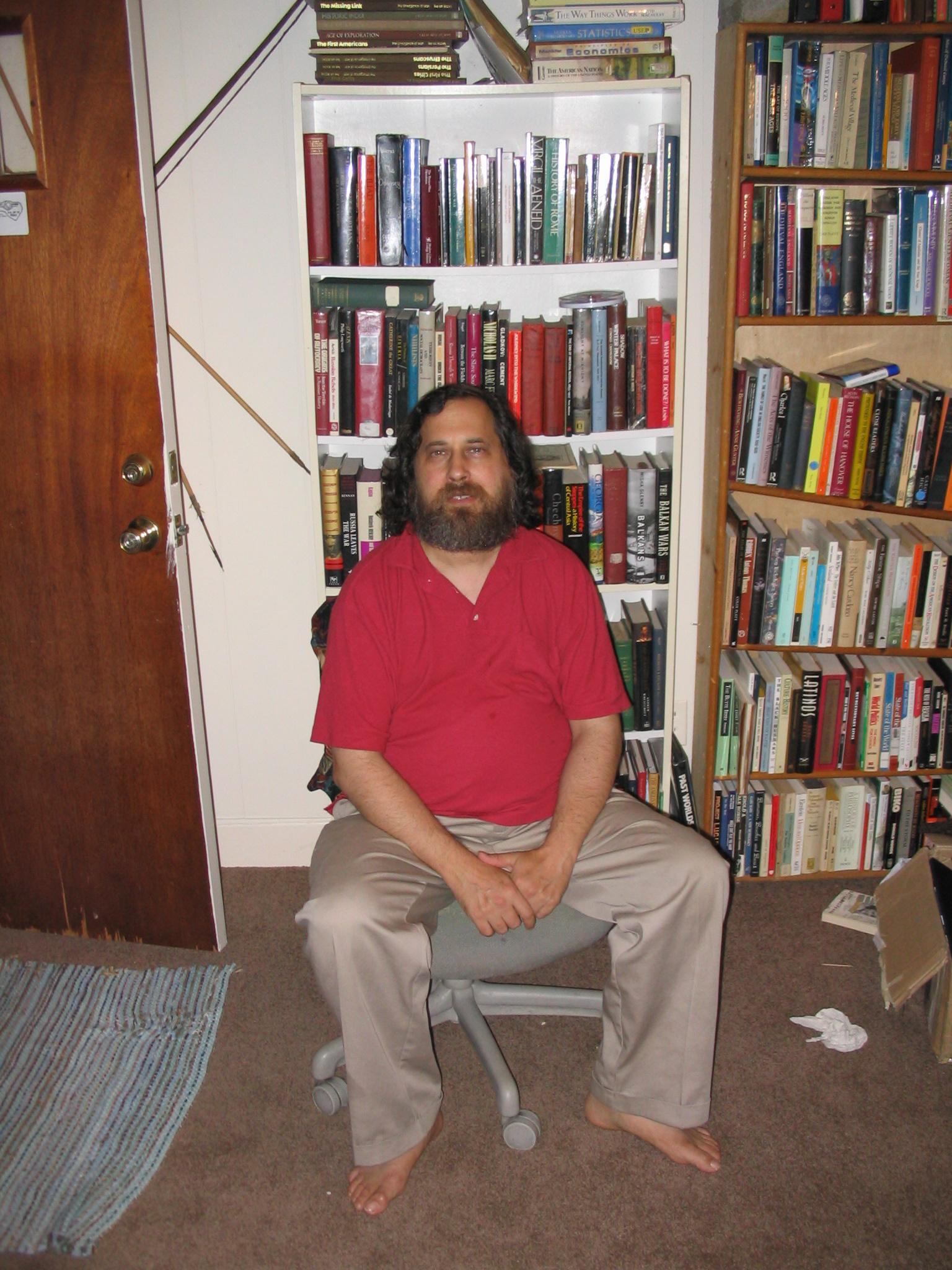
He has built the tools that have allowed enthusiasts and professionals to develop and prototype huge amounts of software
Free Software: http://sourceforge.net/softwaremap/
The Long Tail concept
This is a simple but important concept
Half of the web is made up of Old stuff and Small stuff (the other half being new mass market product)
The Long Tail: http://www.wired.com/wired/archive/12.10/tail.html
http://www.wired.com/wired/images.html?issue=12.10&topic=tail&img=6
This concept comes from Zipf Curves:
http://mathworld.wolfram.com/ZipfsLaw.html
http://www.hermetic.ch/wfc/zipf.htm
This content is so dispersed it can only be found and accessed through search engines like Google: http://www.google.com/technology/pigeonrank.html
The Citizen Media concept
The Citizen Media concept relates to a self publishing or user generated content
Users: http://en.wikipedia.org/wiki/User_generated_content
These are some examples of user generated content:
Movie Reviews: http://www.flixster.com/
Classified Ads: http://edinburgh.gumtree.com/
Geocaching: http://www.geocaching.com/
My Travel Bug: http://www.geocaching.com/track/details.aspx?id=4203
Documentaries: http://www.channel4.com/fourdocs/
eBay's Auctions: http://www.ebay.co.uk/
eBay's Shops: http://www.express.ebay.co.uk/
There is also User Assisted Content such as:
Grass Roots Journalism
A core concept of user generated content is Grass Roots Journalism
We, the Media by Dan Gillmor: http://en.wikipedia.org/wiki/We_the_Media
Book: http://www.oreilly.com/catalog/wemedia/book/index.csp
Dan Gillmor Lecture
http://www.ourmedia.org/node/7587
Organisations have various combinations of professional and enthusiast
Professional and Enthusiast Combined examples:
http://www.blufftontoday.com/todaysnews/
BBC: http://www.bbc.co.uk/communicate/
Guidelines: http://www.bbc.co.uk/guidelines/editorialguidelines/onguide/interacting/usergeneratedco.shtml
Professional Individual examples:
http://bayosphere.com/blog/dangillmor
Pure Citizen Enthusiast examples:
http://en.wikinews.org/wiki/Main_Page
Listing: http://www.cyberjournalist.net/news/002226.php
Crowdsourcing
A really interesting example of user generated content is another concept called crowd sourcing where corporations sell content generated by thousands of semi professionals
Theory: http://en.wikipedia.org/wiki/Crowdsourcing
Some examples of this are:
Ring Tone: http://www.mynumo.com/index.php
Stock Photography: www.iStockphoto.com http://www.dreamstime.com/
Engineering: http://www.innocentive.com/
Turk: http://www.mturk.com/mturk/findhits?match=false
Software: http://www.getacoder.com/
Programmable Web
Most web pages are made up of content taken from different sources. These are referred to as includes and refer particularly to advertisements.
Includes: http://www.federatedmedia.net/
One of the newest internet concepts takes the include to a new level.
Service providers such as google are now allowing third parties to intergrate their services into new web based interfaces.
These services can be accessed using APIs
Programming Interface: http://en.wikipedia.org/wiki/API
Google Hacks: pdf
eBay Backdoor: http://developer.ebay.com/
Here is a list of many Programmable Web interfaces: http://www.programmableweb.com/api/GoogleMaps/mashups
Some examples taken from the list:
Google Maps and youTube: http://www.virtualvideomap.com/
Silly: http://www.asciimaps.com/
BBC News: http://benedictoneill.com/content/newsmap/
Housing Maps: http://www.housingmaps.com/
Concerns
Some developments to consider are:
There is a lot of speculation that the web 2.0 concept is causing a new investment surge on internet development
GooTube: http://sf.backfence.com/news/showPost.cfm?mycomm=PA&bid=3362
hisSpace: http://www.wired.com/wired/archive/14.07/murdoch.html
It is not surprising that the form of Computer Human Interaction may be changing as Engelbart designed the current form in the 50’s
http://sloan.stanford.edu/mousesite/1968Demo.html
This was perfected by Xerox Parc Research and passed to Apple
http://www.folklore.org/index.py
The next revolution for screen based interaction might be Multitouch
http://www.youtube.com/watch?v=hU76tzAK3Js
http://www.youtube.com/watch?v=5JcSu7h-I40
http://www.youtube.com/watch?v=ca0bK3jyNPQ
The very nature of Publishing is under question and many forms of media are converging onto the internet platform
Books are moving on and off the internet
Format: http://en.wikipedia.org/wiki/Ebook
eInk: http://www.eink.com/technology/flexible.html
VoIP Telephony (Voice over IP) has moved onto the internet
http://tools.netgear.com/skype/
http://www.wired.com/wired/archive/9.02/tian.html
TV is moving onto the internet
http://www.nasa.gov/multimedia/nasatv/index.html
http://www.arsenal.com/atvo/index.asp
Live Information is moving on and is accessible on the internet
http://www.fboweb.com/antest/ge/intro.aspx?old=1
http://flightaware.com/live/airport/KJFK
Radio, Video, Music are part of the new Broadband revolution
Blockbuster: http://news.com.com/Blockbuster+tests+video+streaming/2100-1023_3-250126.html
We are beginning to see more Physical Access to the Internet
iPod (MP3 Player): http://www.apple.com/ipod/ipod.html
DataGlyph: http://www.parc.com/research/projects/dataglyphs/
Barcodes: http://en.wikipedia.org/wiki/Barcode
When is publishing not publishing? Pushing the boundary of publishing even further:
Graffiti: http://www.banksy.co.uk/
Graffiti Robot: http://www.hektor.ch/
Art: http://www.henry-moore-fdn.co.uk/matrix_engine/content.php?page_id=3041
Stickers: http://www.stickergiant.com/page/sg/CTGY/toptenall
Projections: http://en.wikipedia.org/wiki/Jenny_Holzer
Location Based Text: http://www.southernlinc.com/images/e911.gif

#2 The Process of Designing an Online Publishing Service
Working with people is important.
Quantitative and Qualitative Research
Market Research helps you improve upon existing products (yours and others) by asking people where they think Improvements could be made.
User Research inspires you to generate new ideas and markets.
Research can also show if your idea fits with the target audience and can prove that you’re not wasting your time.
Market Research
This is quantitative and useful for gathering data about existing products or ideas
Mintel: http://reports.mintel.com/
Euromonitor: http://www.euromonitor.com/
Mori: http://www.mori.com/
Datamonitor: http://www.datamonitor.com/
Taylor Nelson Sofres: http://www.tns-global.com/
Fresh Minds: http://www.freshminds.co.uk/
But all quantitative data is inherently based upon qualitative judgments
Understanding the Real Publishing Marketplace
The real market is a complex and diverse place and this is an example
http://www.ifilm.com/ifilmdetail/2677403
The Global Knowledge Economy
It is also directly or indirectly global
The World Is Flat A Brief History Of The 21St Century
http://www.wired.com/wired/archive/13.05/friedman.html
http://mitworld.mit.edu/video/266/
In order to generate new qualitative thinking about markets it is often useful to investigate and work with other people who can give a different perspective and insight.
Working without People: Extreme Characters
Use an existing character from public life past and present or a fictional charectar:
http://studiolab.io.tudelft.nl/static/gems/publications/00DjajDISInte.pdf
Working about people: Case Studies
Pure research is very useful
Hikkomori: http://en.wikipedia.org/wiki/Hikikomori
Research produced these Recent Discoveries
http://www.labyrinthsociety.org/
http://en.wikipedia.org/wiki/Urban_exploration
http://www.payitforwardfoundation.org/
etc…
Working with People: Inspirational Users
Many people have produced new thinking by closely working with diverse people.
Directly getting to Know People can be done through ‘Hanging Out’
Bio Jewellery: http://www.biojewellery.com/project2.html
Media Mediators: PDF
Media Mediators: Movies
Indirectly getting to Know (About) People can be done with Cultural or Domestic Probes
They can be recruited like this: Evening Standard Advert

They can be probed using these kinds of things: Probe Packs

This camera probe is particularly successful: Camera Packaging

These are some of the camera results:
Photograph Returns: Clifford
Photograph Returns: Helen
Photograph Returns: Mark
Photograph Returns: Heather
This kind of research introduces new information into the creative process and generates new ideas that lead to innovative products or services
Assessable Reading: Short Academic Paper on Users
Bill Gaver, Tony Dunne and Elena Pacenti: http://www.mrl.nott.ac.uk/~sdb/uid/background%20papers/culturalprobespaper.pdf#search=%22Cultural%20probes%22
Some similar papers:
http://www.goldsmiths.ac.uk/interaction/pdfs/31gaver-etal.driftTable.chi04.pdf
http://www.goldsmiths.ac.uk/interaction/pdfs/30gaver-etal.probes+uncertainty.interactions04.pdf
Service and Product Design
Designing a product or service requires you to consider how it will be produced and perceived. Product and Service design concepts are the same across all industries and Publishing can be informed from looking at other industries. Some of those concepts are briefly considered here:
Automation
Black was chosen by Ford for the first mass produced car as it Dries Quicker:
Ford Biography: http://www.gutenberg.org/etext/7213
Henry Ford: http://www.time.com/time/time100/builder/profile/ford.html
Automation required the Mass Market Concept to consume the output
The Hidden Persuaders: http://en.wikipedia.org/wiki/Vance_Packard
Product Ranges use the concept of mass production to simplify marketing although products continuously change and also share large numbers of parts
http://www.honda.co.uk/car/ http://www.landrover.com/gb/en/Vehicles/overview.htm
For example Sony have an inventory of only 10-100 thousand different parts for the manufacture of all their products:
http://www.sap.com/solutions/business-suite/scm/pdf/CS_Sony_Marketing.pdf
http://www.deloitte.com/dtt/case_study/0,1005,sid%253D3648%2526cid%253D32458,00.html
Surprisingly Corporations share and collaborate on every level. This is through common interest groups and consortiums.
The classic example is the Plasma TV were all the plasma screen in the world are made by one factory (or a few at most): http://www.plasmatvbuyingguide.com/plasmatvreviews/whomakeswhat.html
Every company has a Future Model that contains their visions for 5 10 and 15 years ahead: http://www.canadiandriver.com/news/020108na-3.htm
The future model is never released in one go. The market is given Incremental Releases (Perpetual Beta) each step carefully marketed:
http://en.wikipedia.org/wiki/IPod
Supply Chains
Bringing together all the components used in services and products is called a supply chain. This concept comes from the ancient profession of Trade:
http://www.archatlas.dept.shef.ac.uk/Trade/Trade.php
http://en.wikipedia.org/wiki/Supply_chain
FedEx is one of the biggest supply chain orchestrators in the world and moves millions of parcels everyday and has several empty planes in the sky at anyone time to cover for unforeseen events:
United Parcel Service takes supply chaining to another level. They manage manufacturing, distribution and servicing for many corporations. Some corporations now only manage their brands by commissioning services from other companies:
http://pressroom.ups.com/multimedia/images/upsairlines/0,1417,,00.html
http://pressroom.ups.com/multimedia/av/speeches/
http://pressroom.ups.com/multimedia/av/b-roll/
Supply Networks
Supply Chains are becoming more dynamic and accessible to smaller players who can operate almost as easily as larger players:
http://mitsloan.mit.edu/execed/pdf/ups.pdf
“The world is changing very fast. Big will not beat small anymore. It will be the fast beating the slow.” Rupert Murdoch, Chairman and CEO, News Corporation
This relates back to the Long Tail concept where the market place is half mass market and half niche market.
An example of a Niche Market is:
Beswick Beatrix Potter One Two Three Four


http://images.google.com/images?lr=&q=BESWICK%20Beatrix%20Potter
Production
Production of products is now managed in a Cellular way, which allows manufacturing to be very flexible and accessible.
This is a product design example of print on demand.
3D Printing: http://www.zcorp.com/
Print on Demand Comics: http://www.comixpress.com/
Breaking Up the Chain
Production companies called Electronic Manufacturing Services make products for Original Equipment Manufactures such as Microsoft. This allows them to enter new markets without any manufacturing capacity of their own.
Microsoft xBox: http://www.wired.com/wired/archive/9.11/
Flextronics: http://www.flextronics.com/en/default.aspx
UPS provide a similar service for other companies. Effectively corporations are now faking it and are just managed brands:
http://www.ups-scs.com/solutions/case_consumer.html
These complex management structures are visualised by drawing data flow diagrams:
http://en.wikipedia.org/wiki/Data_flow_diagram
Data flow diagram don’t always have to look so straight forward:
https://www.edwardtufte.com/tufte/
Service Design
Services can be easier to understand and then develop if they are considered as data flows. Here are some examples of service design:
http://www.designcouncil.org.uk/servicedesign/
Here are some service design concepts and terms:
http://www.livework.co.uk/home/research0/glossary.html
Here is a really good example of a developed service:
Sourcing
When a service or product is broken down into a data flow diagram it is possible to consider where each step of the flow can be sourced from.
There are many types of sourcing.
These are some examples of outsourcing:
Accountancy:
http://www.ascotdrummond.co.uk/
Business Process Outsourcing:
http://www.delhiprofessionals.com/
Web Design:
http://www.google.com/search?hl=en&q=web+design+india
There are issues in outsourcing which can be addressed in different ways:
Fair Trade: http://www.fairtrade.org.uk/products_cotton.htm
This is a really good example of Homesourcing: http://www.businessweek.com/innovate/NussbaumOnDesign/archives/2005/10/jetblue_rocks_t.html
Design Methods and Differentiation Techniques
Again Design Methods and Differentiation Techniques are the same across all industries and Publishing can be informed from looking at other industries. Here we look at two simple business concepts:
Concept #1 Dare to be Different
There is a simple concept that states that business models can only be successful if they are one of three types. These are Mass, Differentiation or Niche:
http://en.wikipedia.org/wiki/Porter_generic_strategies
Price war
The first successful business model is where Mass markets compete on price. These products generally become commodities that are very profitable.
Commodity:
http://www.spectrumcommodities.com/education/commodity/pb.html
http://www.zurich.ibm.com/bandwidth/concepts.html
Stand Out in a Crowd
The second successful business model is one where you offer a mass market product or service but have a unique selling point.
An example of this is a Geographic Based Franchise:
A classic example of this different or new flavours of icecream:
Gelato: http://en.wikipedia.org/wiki/Ice_cream
Special
The third successful business model is one where you offer high Quality or a Unique Perception. My girlfriends business is an example of this. They make very expensive and exclusive knickers: http://www.forbes.com/2005/02/09/cx_ns_0209feat.html
Concept #2 Collaboration and Innovation
An IBM Study of over 700 leading companies discovered that the current concerns are business operations innovation and collaboration: pdf
Collaboration
Newton wrote to his ‘friend’ Hooke "If I have seen a little further it is by standing on ye shoulders of Giants."
Businesses are collaborating with each other, their suppliers and their customers in innovative and previously unimaginable ways.
Co-Creation
Co-creation is a term that refers to direct and indirect collaboration between a corporation and it’s customers to develop new products and services.
Apple use this site to gauge customer desire.
iPod: http://gallery.ipodlounge.com/ipod/thumbnails.php?album=4
Philips use this site to inform their product called Pronto: http://www.prontoedit.com/
http://www.pronto.philips.com/
Innovative Modelling
Businesses have realised that the way that they operate is really important and requires as much development as their products and services.
Business Types: http://en.wikipedia.org/wiki/Business_model
Management Theory is a big area of publishing and is a valuable source of innovation. This is an example of an extreme business practice:
Weird Ideas: http://www.fastcompany.com/online/54/sutton.html
Innovative business models have been developed to allow small companies and individuals to have Advertising Revenue:
https://www.google.com/adsense/
The Merchant Account has been a powerful tool for many web based businesses. Here are some examples of contracts enabling merchant accounts to do innovative things:
http://en.wikipedia.org/wiki/Merchant_account
http://www.lbi-uk.com/co_buying-faq.html
http://pages.ebay.co.uk/help/buy/proxy-bidding.html
http://www.paypal.com/cgi-bin/webscr?cmd=_merchant-outside
PayPal Donate: Button
Marketing is a vast subject that we are all very familiar with. Most marketing is based upon the core principle of word of mouth:
http://en.wikipedia.org/wiki/Word_of_mouth_marketing
This is used in a different more sophisticated way in Product Grouping systems. Here is an example:
http://en.wikipedia.org/wiki/Recommender_system
http://www.nealstephenson.com/
http://www.storycode.com/lcompare.php?r=737
http://www.storycode.co.uk/lcompare.php?r=737
http://en.wikipedia.org/wiki/Personalized_marketing
Creative Thinking
Many tools exist to help you analyse situations and innovate within them.
A favourite and successful one for product and service designers is to be random:
Random Fiction: http://www.lukerhinehart.net/books5.html#DiceMan
A highly recommended creative thinking tool is this:
Mind Mapping: http://www.mindtools.com/pages/main/newMN_CT.htm
A well used but increasingly criticised method is Brainstorming: http://www.wired.com/news/columns/0,70494-0.html
Assessable Reading: Flattener #3 Work Flow Software
This chapter details an interesting service.
The World Is Flat: A Brief History of the Twenty-first Century by Thomas L. Friedman. Excerpt: Page 50 to 57
#3 Licensing Issues Concerning Online Publishing
Free as in Freedom not as in Free Beer
Intellectual Property Law
Intellectual Property Law uses the Law regarding property to protect ideas
http://en.wikipedia.org/wiki/Property_law
http://www.1911encyclopedia.org/Property
The patent Office issues rights to IP in several ways
http://www.patent.gov.uk/home.htm
Patents or Copyright
Trademarks are the simplest form of property:
Trademark: http://www.patent.gov.uk/tm/t-journal/t-tmj/current/domestic/t-tmj-current-domestic.html
Trade Secrets
Trade secrets are the oldest form of protection:
Secrets can last for ever: Coca Cola Merchandise 7X
http://news.bbc.co.uk/1/hi/business/5152740.stm
http://en.wikipedia.org/wiki/Coca-Cola_formula
Protect you self with a Non-Disclosure Agreement
http://www.patent.gov.uk/patent/info/cda.pdf
Secrets can legally be Reverse Engineered but not stolen
Analytical Machines: http://en.wikipedia.org/wiki/Electron_capture_detector
Patents
Patents are open letters that grant a monopoly for a short period in return for disclosure of the letter.
Open Stained Glass
http://www.patent.gov.uk/about-history-patent.htm
The exclusive right granted to a patentee in most countries is the right to prevent or exclude others from making, using, selling, offering to sell or importing the claimed invention.
http://en.wikipedia.org/wiki/Patent
Patent Licensing
http://en.wikipedia.org/wiki/Patent#Economic_rationale
Ownership
http://www.freepatentsonline.com/5599077.pdf
Unusual Implications of Patents
Companies can be based solely upon patent protection
http://www.intellectualventures.com/inv_main.aspx
Dyson didn’t invent the cyclone but only changed its use and Patented it again
http://www.patent.gov.uk/patent/p-decisionmaking/p-class/p-class-ukc/p-class-ukc-a.htm
http://en.wikipedia.org/wiki/Cyclonic_separation http://www.kraemertool.com/gallerycyn6a.htm
Patents vary around the world and are enforced (or not) by each government
Brazil and the big Pharmaceuticals
http://www.wired.com/wired/archive/12.11/linux.html
Copyright
Copyright is a Natural or automatic property
Copyright: http://www.patent.gov.uk/copy/c-claim/c-auto.htm
It is sometimes difficult or to troublesome to enforce and is best ignored
Bowie: http://news.bbc.co.uk/1/hi/business/4896262.stm
You have to exercise your protection or you will loose it in this famous example the image of Che Guevara was copyright but this hadn’t been exercised
http://news.bbc.co.uk/1/hi/uk/926577.stm
http://en.wikipedia.org/wiki/Alberto_Korda
http://en.wikipedia.org/wiki/Che_Guevara
You can’t control the technology to reproduce work if it has one legitimate use
http://en.wikipedia.org/wiki/Sony_Corp._v._Universal_City_Studios
BitTorrent traffic accounts for more than one-third of all data sent across the Internet: http://www.wired.com/wired/archive/13.01/bittorrent.html
Former Copyright Material is called public domain
http://www.gutenberg.org/catalog/
Debate about Patents
Interlectual property protection is being pushed into new areas.
Guardian: http://technology.guardian.co.uk/online/comment/story/0,12449,1510566,00.html
Copy Left is a response to the over use of copyright
Copy Left is based on Copy Right but seems more complicated: http://en.wikipedia.org/wiki/Copyleft
List of Copy Left Licenses
http://www.gnu.org/philosophy/license-list.html#FreeDocumentationLicenses
Some Rights Reserved (Commercial and Non-Commercial)
http://www.wired.com/wired/archive/12.11/sample.html
BBC: http://www.bbc.co.uk/schools/archive/
Case Study on the Implications of Copy Left
http://catb.org/~esr/writings/cathedral-bazaar/cathedral-bazaar/
Copy Left for Published Work
GNU GPL
http://en.wikipedia.org/wiki/GNU_Free_Documentation_License
http://artlibre.org/licence/lal/en/
Work available under the cc license
http://en.wikipedia.org/wiki/Creative_Commons
Education: http://ocwconsortium.org/about/uk.shtml
Images: http://www.everystockphoto.com/
Larry Lessig
http://en.wikipedia.org/wiki/Lawrence_Lessig
http://www.free-culture.cc/freeculture.pdf
Some Real Examples
http://en.wikipedia.org/wiki/OpenCola
http://www.freebeer.org/blog/
There are four examples given here:
Stock Photography
Academic Publishing
Film Rights
Photography in Public Places
Intellectual Property concepts are the same across all industries and Publishing can be informed from looking at other industries.
Stock Photography
The collapse of the Stock Photograpy industry is discussed here:
http://www.wired.com/wired/archive/14.06/crowds.html
New Stock Photography: www.iStockphoto.com http://www.dreamstime.com/
Stock Photography: www.corbis.com www.gettyimages.co.uk
It’s Academic
The collapse of the academic publishing industry is discussed here http://www.wired.com/wired/archive/11.11/opensource.html?pg=4&topic=&topic_set=
Public Library of Science
http://www.plos.org/
http://www.plos.org/journals/license.html
http://biology.plosjournals.org/
http://www.press.umich.edu/jep/
http://crossings.tcd.ie/issues/1.2/Mac_an_Airchinnigh/
Citation Index
Assessable Reading: Richard Stallman
GNU: http://www.gnu.org/philosophy/gpl-american-way.html
Assessable Reading: Free Culture
Free Culture by Larry Lessig. Excerpt Chapter 12, Harms:
http://www.free-culture.cc/freecontent/
Pages 183-207 (193-217 in PDF)
Walt Disney and David Beckham
This example comes from this essay on the History of Copy Right
Print: http://www.oreillynet.com/pub/a/policy/2002/08/15/lessig.html?page=1
Philip K Dick
http://www.wired.com/wired/archive/11.12/philip.html
http://www.wired.com/wired/archive/11.12/philip.html?pg=7
http://www.imdb.com/name/nm0001140/
http://www.imdb.com/title/tt0181689/
http://www.imdb.com/title/tt0083658/
http://www.imdb.com/title/tt0100802/
Films from Books
http://www.rajwans.com/the-importance-of-securing-chain-of-title.html
http://en.wikipedia.org/wiki/Chain_of_title
http://en.wikipedia.org/wiki/Personality_rights
The Wizard of Oz
http://en.wikipedia.org/wiki/The_Wonderful_Wizard_of_Oz
http://www.imdb.com/name/nm0000875/
http://www.imdb.com/title/tt0032138/
Disney Films from Books
http://www.imdb.com/name/nm0000370/
http://en.wikipedia.org/wiki/Grimm's_Fairy_Tales
http://en.wikipedia.org/wiki/Hans_Christian_Andersen
http://www.kb.dk/elib/lit/dan/andersen/eventyr.dsl/hcaev008.htm
http://www.imdb.com/title/tt0097757/
http://media.sdu.dk/hca2004/hca1.wmv
http://en.wikipedia.org/wiki/Rudyard_Kipling
http://www.imdb.com/title/tt0061852/
http://www.gutenberg.org/etext/236
Merchandise
http://money.cnn.com/magazines/fortune/fortune_archive/2003/01/20/335653/index.htm
http://en.wikipedia.org/wiki/Winnie_the_Pooh
http://en.wikipedia.org/wiki/A._A._Milne
Webcasting
http://www.ft.com/cms/s/441306be-2eb6-11da-9aed-00000e2511c8.html
http://www.blogmaverick.com/2006/10/11/gootube-the-end-of-drm/
Photography in Public Spaces
Print: http://www.wipo.int/sme/en/documents/ip_photography.htm
Posh and Becks
http://www.telegraph.co.uk/news/main.jhtml?xml=/news/2006/09/24/nbecks24.xml
Tattoo
http://www.needled.com/archives/2005/06/david_beckhams.php
Child Protection
http://gossip.wordpress.com/2005/09/30/david-beckhams-son-is-a-mystery/
http://images.google.com/images?q=Brooklyn+Beckham
Trademark
http://www.sportandtechnology.com/page/0035.html
Public
http://www.thehimalayantimes.com/GuffShuff.asp?filename=6a6Wa6ua.9amal&folder=aGDafTaSah4afaf&Name=GuffShuff&dtSiteDate=20060711
http://answers.google.com/answers/threadview?id=756274
http://en.wikipedia.org/wiki/Personality_rights
eBay
http://cgi.ebay.co.uk/ws/eBayISAPI.dll?ViewItem&item=220041404755
Web
http://www.demys.com/services/demys_diligence.htm
Possibly Useful Links
Copy Right
WIPO
http://www.wipo.int/about-ip/en/
Motion Picture Licensing
Copy Left
GNU
http://www.gnu.org/philosophy/software-literary-patents.html
Creative Commons
http://creativecommons.org.uk/?n=Scotland.Home
Wired Magazine
http://www.wired.com/wired/archive/2.03/economy.ideas.html
http://www.wired.com/wired/archive/8.06/patents.html
FT
http://www.ft.com/cms/s/86683512-6dbb-11db-8725-0000779e2340.html
Subscribe to:
Posts (Atom)